
Agents and harnesses · reviewed · reviewed Oct 5, 2026 · 6 min
What is an agent harness?
See how function calls become actions, how results return to the model, and what the harness controls along the way.
The model requests; the harness executes
Ask an agent, “What failed in build 481?” The model needs data from CI. It can generate a request for get_build_failures, but application code must actually read the build, handle errors, and return the result.
The harness is the application runtime around the model. Function calling is the interface for requesting an operation; the harness supplies its execution, state, and control. The model sees a function's name, description, and input schema. Its implementation and service credentials remain in the runtime.
Explore the responsibilities below, then watch the call travel through a loop. A second demo lets you submit your own arguments to the same mock functions.
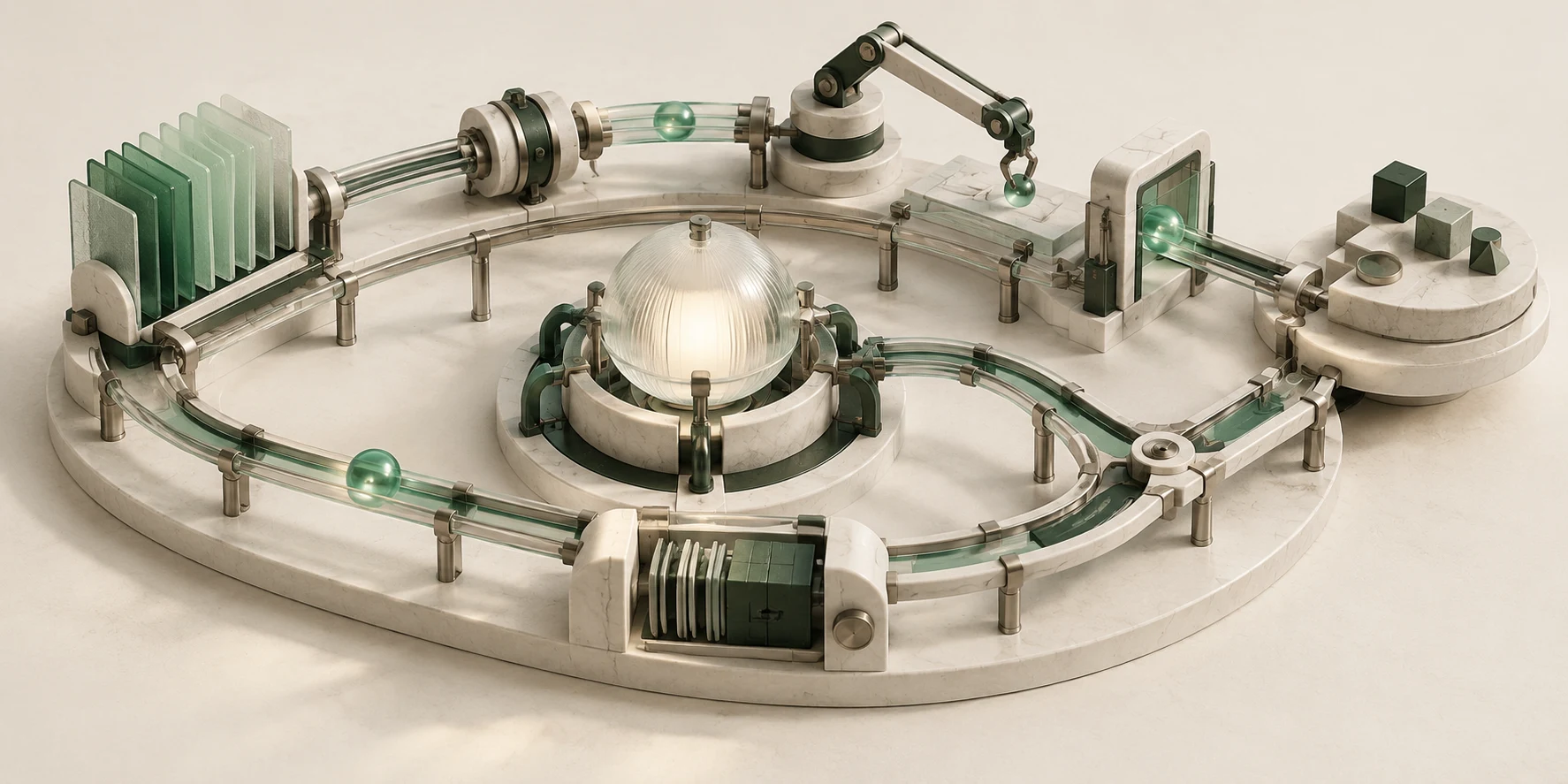
The paper organizes the runtime into seven subsystems. They describe responsibilities, not a requirement for seven separate services. Source: §2.3, Table 1.
Explore the runtime
The model proposes a move.
The harness makes it happen.
Memory & context
Selects instructions, evidence, and history; preserves useful state across turns.
Explore this conceptDid the next call receive the tool result and the original task?
The anatomy follows Barbaste et al., §2.3 and Table 1. The illustration is a conceptual map, not the architecture of a specific product.
Function calling gives the loop a concrete interface
For our CI question, the harness offers two functions: get_build_failures(build_id) and get_job_log(job_id). The first returns failed job identifiers. The second reads a concise log for one of those jobs.
A function definition describes an available capability. A tool call is the model's request to use it. A tool result is the observation the runtime sends back. The call identifier connects that result to the correct request. These are distinct messages, not three names for execution.
The model's first call contains build_id: 481. The harness looks up the registered implementation, validates the arguments, checks the current user's read scope and remaining tool budget, and invokes the mock CI function. The returned job ID can then become an argument to another call. This client-tool round trip is documented in Anthropic's tool-use guide; the demo uses a provider-neutral message format.
Watch the function-calling loop
A call goes out.
An observation comes back.
User: “What failed in build 481?”
or answers
stores results
and returns data
resultFunction result returns to the harness
Harness · round 1Function dispatches: 0
The harness offers two functions
The model receives the user's question and tool definitions. Function implementations and CI credentials stay in the runtime.
- Registered functionNot checked
- Valid argumentsNot checked
- Read permissionNot checked
- Tool budgetNot checked
Harness → model · request
{
  "messages": [
    {
      "role": "user",
      "content": "What failed in build 481?"
    }
  ],
  "tools": [
    {
      "name": "get_build_failures",
      "description": "Read failed jobs for a build visible to the current user.",
      "parameters": {
        "type": "object",
        "properties": {
          "build_id": {
            "type": "integer",
            "minimum": 1
          }
        },
        "required": [
          "build_id"
        ],
        "additionalProperties": false
      }
    },
    {
      "name": "get_job_log",
      "description": "Read the concise log for a job visible to the current user.",
      "parameters": {
        "type": "object",
        "properties": {
          "job_id": {
            "type": "string",
            "minLength": 1
          }
        },
        "required": [
          "job_id"
        ],
        "additionalProperties": false
      }
    }
  ]
}
Inspect the conversation
- Harness · round 1Harness → model · request
A deterministic local simulation with scripted model messages and mock CI functions. JSON shows a normalized protocol, not an exact provider API. No external service or model is called. Read the function-calling contract.
Inspect the function definitions offered to the model
[
  {
    "name": "get_build_failures",
    "description": "Read failed jobs for a build visible to the current user.",
    "parameters": {
      "type": "object",
      "properties": {
        "build_id": {
          "type": "integer",
          "minimum": 1
        }
      },
      "required": [
        "build_id"
      ],
      "additionalProperties": false
    }
  },
  {
    "name": "get_job_log",
    "description": "Read the concise log for a job visible to the current user.",
    "parameters": {
      "type": "object",
      "properties": {
        "job_id": {
          "type": "string",
          "minLength": 1
        }
      },
      "required": [
        "job_id"
      ],
      "additionalProperties": false
    }
  }
]
With job-log inspection enabled, the first result identifies job_7. The next model turn requests get_job_log with that exact identifier. The runtime repeats its checks, executes the function, and returns the log. The scripted final answer can now describe the observed missing configuration. Without that second observation, it reports only the failed job.
The loop repeats when the model requests another function. It stops here when the model returns an answer instead. Real systems also need explicit handling for cancellation, exhausted budgets, and unresolved operations. A model message saying “Done” does not override a task's required verification rules.
Try the boundary yourself
The playground executes the same local mock functions. Change the JSON and submit it. Start with 481, then try the string "481", build 482, malformed JSON, or an extra field. Unregister the function to see why a model-visible name still needs a runtime implementation.
A valid call reads fixture data. A rejected call returns an error without dispatching the function. Each accepted dispatch consumes one of two available calls. Rejections do not consume that dispatch budget; Reset run starts a new demonstration with an empty result and fresh budget.
Try a function call
You supply the arguments.
The harness checks the request.
Read scope: build 481 and job job_7. Tool budget: two dispatches per run.
See the selected input schema
{
  "type": "object",
  "properties": {
    "build_id": {
      "type": "integer",
      "minimum": 1
    }
  },
  "required": [
    "build_id"
  ],
  "additionalProperties": false
}
Harness output
Function dispatches: 0 / 2
Run a request to see validation, permission, dispatch, and the returned result. Try build 482, a quoted "481", or an extra argument.
This playground executes local mock functions. It reads no real CI data. Editing arguments changes the next submitted request; the previous output remains labelled as the submitted call until you run again.
An input schema can require a positive integer. It cannot establish who owns build 481 or whether this user can read it. Those decisions use authoritative application state. The model does not acquire access merely by producing valid JSON.
A tool result belongs to a particular call. If several calls are pending, returning data under the wrong identifier gives the model the wrong observation. Keep the request, execution decision, and correlated result together in the trace.
What the harness adds around a function call
The demos expose concrete runtime responsibilities. The model contributes the proposed name and arguments; the harness makes them part of a controlled conversation with the outside world.
| Harness capability | What it does in these demos | What to inspect |
|---|---|---|
| Context construction | Supplies the user question and tool schemas; carries results into later turns | The next model request |
| Model integration | Adapts provider responses into tool calls or final messages | Call type, identifier, name, arguments |
| Tool registry and dispatch | Connects an allowed name to executable application code | Registered function and dispatch count |
| Argument validation | Rejects malformed JSON, wrong types, missing or extra fields | The validation decision before execution |
| Permissions | Restricts reads to the current user's build and job | Denial with zero function dispatches |
| Budget management | Refuses a further dispatch after two calls, or one in the loop demo | The second call with a one-call budget |
| Result and error handling | Returns observed data or a specific error under the originating call ID | The correlated result |
| Conversation state | Preserves the observations that informed later requests | The conversation trace and round number |
A function call can fail in several different places. Invalid arguments never reach the implementation. A permission denial can follow valid arguments. A registered, permitted function can itself fail after dispatch. In the loop demo, Function fails increments the dispatch count but returns an error rather than fabricated build data.
The architecture map also includes extensibility and orchestration. A skill can supply a procedure, a lifecycle hook can add a policy check, and an MCP integration can provide external tools. A worker can investigate a separate task with its own context. Our CI example needs none of those to demonstrate the core loop. Source: §11–12.
Verify the runtime as a state machine
Test the harness with deterministic proposals and mock tools. An evaluation harness supplies the task and grades behaviour; the agent harness is the runtime under test.
| Contract | Example input | Observable result |
|---|---|---|
| Validate before dispatch | build_id is a string or the JSON is malformed | No function executes |
| Authorize the target | The model requests build 482 outside this user's scope | Permission error; zero dispatches |
| Resolve only registered functions | A tool name has no implementation | Unknown-function error |
| Preserve result identity | Two tool calls have different call IDs | Each result matches its originating call |
| Preserve dependency order | The first result returns job_7 | The next log request uses that identifier |
| Enforce the remaining budget | A second request with a one-call limit | No second dispatch; the cause remains unresolved |
Reading a CI failure is different from fixing it. For a repair task, an edit result establishes that the file changed; required tests must still pass on the current version before completion. Function calling connects the model to tools. The harness owns the task's additional contracts.
Long-running sessions need more than this short example: context selection and compaction, durable state, bounded recovery, and execution isolation. If a consequential operation loses its acknowledgement, preserve uncertainty and reconcile its effect before retrying. A timeout alone does not establish that the effect never happened.
For a concrete implementation, explore Pi's agent runtime. Its two interactive examples follow a read through streamed tool arguments, execution, and another model request, then show how branching and compaction change model context while preserving session history.
What this source can establish
Barbaste and colleagues inspect dated source snapshots of eleven systems. Their work describes architecture, not a shared-task speed or quality ranking. Its Claude Code analysis uses an unofficial snapshot, and inventory findings depend on inspected versions. Source: §15.6.
The seven-part map comes from the paper. The CI task, local functions, and model messages are our teaching examples. The playback controls are inspired by CC Unpacked. Continue with function calling for the message contract, harness engineering for the improvement cycle, or testing agent harnesses for evaluation design.
Sources
Sources and further reading
- 01Harness Engineering: Anatomy, Architecture, and Evolution of Coding Agents — A Source-Code Study of Eleven SystemsPaul Barbaste, Tristan Darrigol, Germain Vu, and Tom Wiltberger · research · published Jul 15, 2026 · source checked Oct 5, 2026
Version 1 architecture study of dated coding-agent source snapshots; useful for subsystem vocabulary, not comparative performance claims.
- 02Unrolling the Codex agent loopOpenAI · guide · source checked Oct 5, 2026
A concrete description of the model, tool, observation, and terminal-condition loop.
- 03Codex as a platform: build on the open agent harnessOpenAI · guide · published Aug 19, 2026 · source checked Oct 5, 2026
A current first-party account of how the Codex harness owns context, tools, state, sandboxing, approvals, progress, and multi-turn execution.
- 04A practical guide to building agentsOpenAI · guide · source checked Oct 5, 2026
Design guidance for tools, orchestration, guardrails, risk ratings, and human intervention.
- 05Tool use conceptsAnthropic · documentation · source checked Oct 5, 2026
First-party documentation of tool definitions, tool choices, tool results, automatic and manual agent loops, iteration bounds, approval gates, and error handling.
- 06Excessive AgencyOWASP GenAI Security Project · standard · source checked Oct 5, 2026
A threat model organized around excessive functionality, permissions, and autonomy.
- 07The agent loop — Build Your Own Coding AgentBettaTech · guide · source checked Oct 5, 2026
A concrete implementation guide separating model proposals, harness-owned tool execution, observations, and loop termination.
- 08RFC 9110: HTTP SemanticsIETF · standard · published Jun 1, 2022 · source checked Oct 5, 2026
The standards-track definition of HTTP request, response, safety, idempotency, status, and retry semantics.